I thought I would finally comment on some functionality within the ChefSteps app that has been less than user friendly.
Here's a common scenario:
Let's say I want to make a batch of soy milk, and I attempt to run a search for "soy" within the ChefSteps app. To accomplish this, I would click on the app icon on my home screen, tap the search bar and type "soy". After typing in the search bar, there seems to be no way of getting rid of the keyboard in order to more easily view the search results. My question for the ChefSteps developers: Can there be a way to collapse the keyboard after typing? It takes up half of the real estate on the screen. Here's a photo for reference.
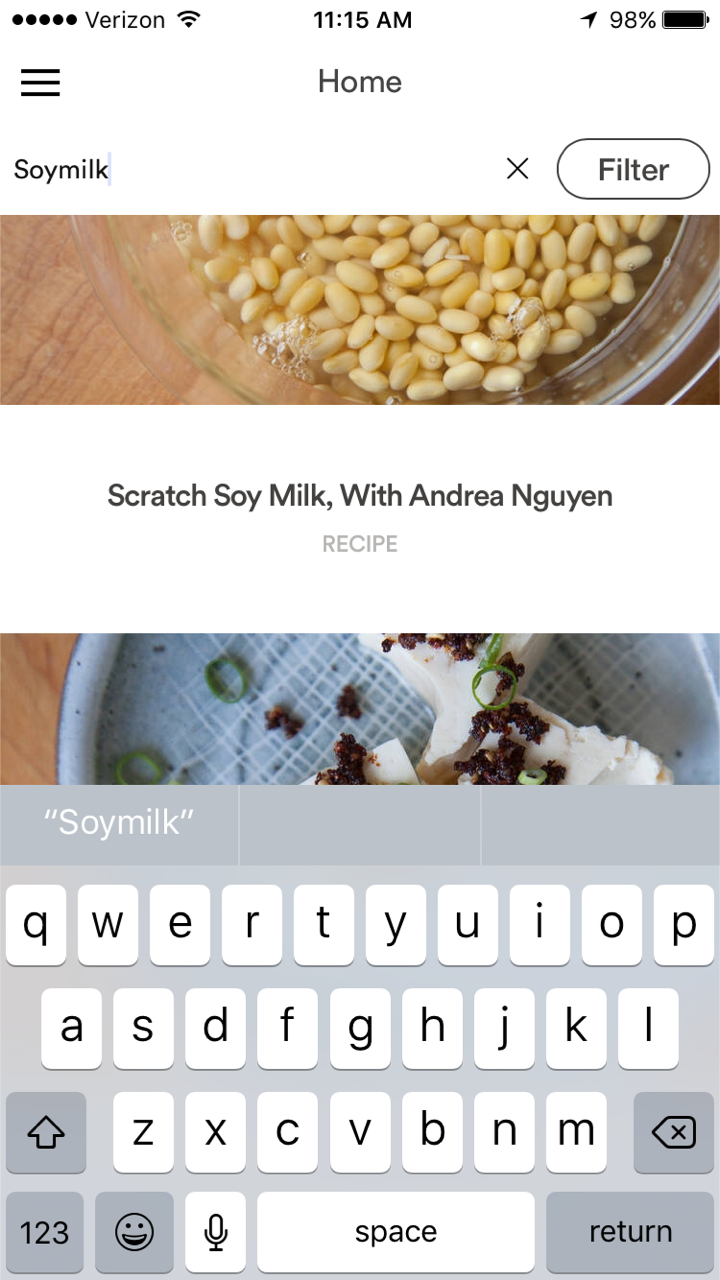
I'd be curious to hear other users thoughts on this.
-Chris


